Updated September 23, 2026 · Editorial review by Iron Digital MI
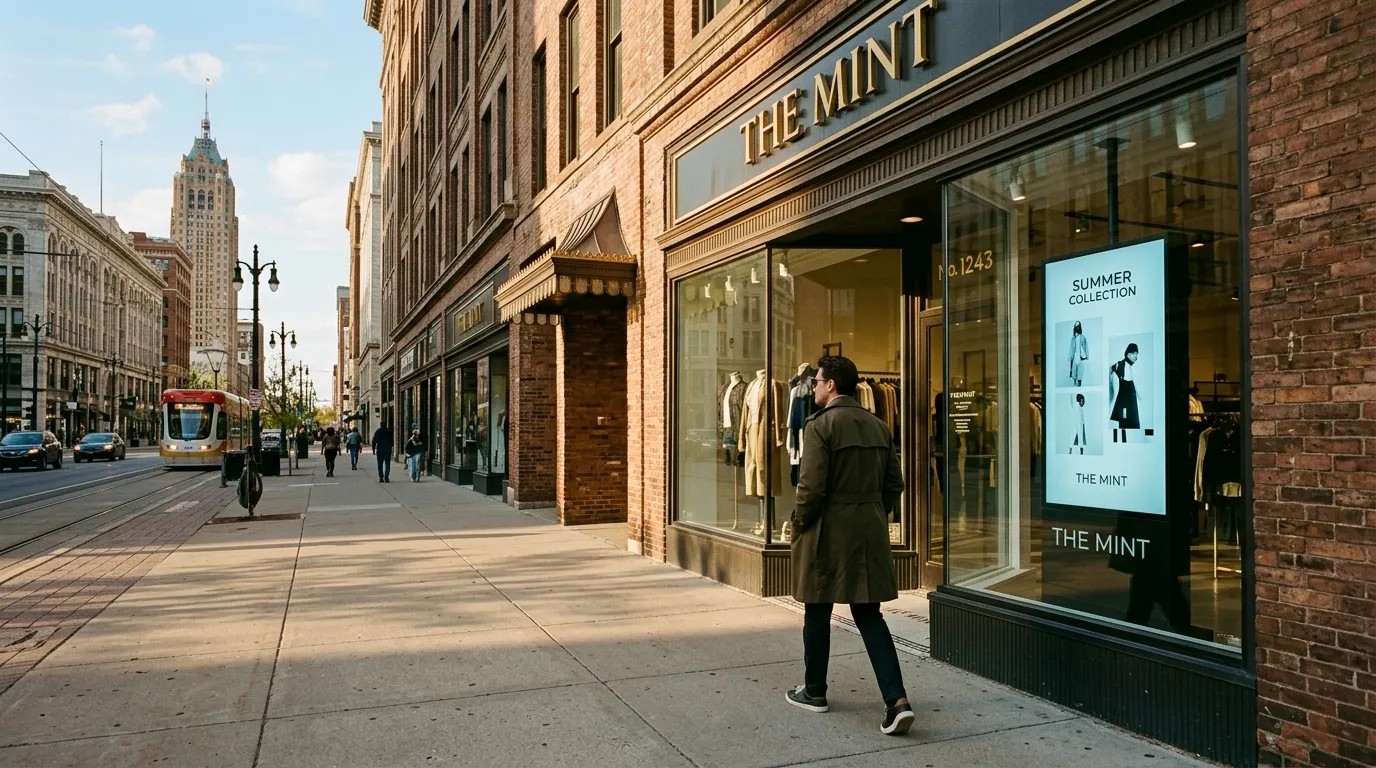
← Back to BlogWalk down Livernois, explore Jefferson Chalmers, or spend an afternoon in Grandmont Rosedale, and you will notice a distinct transformation. Commercial corridors that historically relied on hand-painted plywood or heavy vinyl banners are shifting. Brick-and-mortar storefronts are finding that physical presence alone is no longer the sole driver of foot traffic. Instead, the most resilient local operators are fusing physical space with dynamic, web-connected displays to interact with passing traffic in real-time.
This is not about mounting a basic television to a brick wall and looping a low-resolution promotional video from a thumb drive. It is about deploying lightweight, localized web applications that run on high-brightness commercial monitors. These systems react to the time of day, current local weather, live database changes, and incoming social media interactions. For independent retailers and restaurant owners, these displays act as a live bridge between digital inventory and neighborhood foot traffic.
Key Takeaways
- Dynamic storefront signage must behave like a live web browser, pulling instant updates from your POS system, inventory APIs, or social feeds.
- Location-aware displays turn passing pedestrian traffic into immediate in-store visits by serving context-specific information based on physical neighborhood factors.
- Using inexpensive microcomputers (such as a Raspberry Pi configured in kiosk mode) allows independent business owners to completely bypass predatory, expensive monthly SaaS contracts for media networks.
Why Static Storefront Screens Fall Flat
Most digital storefront displays are functionally dead. A screen displaying a static menu image or a three-minute promotional video loop quickly blends into the background of a neighborhood. Pedestrians who walk past your shop daily develop selective blindness to repetitive visual assets. To break through this visual fatigue, your display must change state, communicate urgency, and show live updates.
The solution does not require massive enterprise expenditure. By leveraging modern web development frameworks, we can run highly responsive layouts on basic screens. These web-based signage channels can read active data from your restaurant point-of-sale or your retail e-commerce catalog. As commercial density expands into Detroit's neighborhoods, local operators must think of their front windows as interactive screens that can be updated in a fraction of a second.
The Hardware and Software Blueprint for Local Signage
Executing this strategy does not require hiring a specialized signage agency with complex hardware contracts. In fact, relying on closed-source, proprietary sign solutions often results in outdated software, slow load speeds, and annoying screen crashes. The modern, open-source approach relies on standard web technologies that your business already controls.
At the core of a modern digital signage setup is a standard commercial display connected to a lightweight, inexpensive media player. A Raspberry Pi running Raspberry Pi OS or an Android-based media box can be programmed to launch a headless browser (like Google Chrome) automatically upon power-up. This browser runs in "kiosk mode," loading a private URL hosted on your web server. Your display is now a web page, styled with custom HTML and CSS to look like a premium broadcast interface.
Because the display is fundamentally a web page, it can access any web-based database or API. If you use Square, Shopify, or Clover, your developer can program the sign to dynamically pull from your live product data. If you operate a restaurant, your menu boards can automatically transition from lunch to dinner, update pricing based on happy hour specials, and hide items that sell out. This prevents the common operational nightmare of customers attempting to order dishes that are already out of stock.
| Feature | Static USB Loop Displays | Dynamic Web-Connected Signs |
|---|---|---|
| Update Frequency | Manual (re-exporting video, physically moving USB drives) | Real-time (automated API calls and database synchronization) |
| Content Context | Fixed (same video plays regardless of time, weather, or inventory) | Adaptive (displays change based on weather, stock, or traffic) |
| Infrastructure Cost | Low upfront, but high operational time drain | Highly cost-efficient using open-source hardware and simple web code |
Creative Playbooks for Detroit Corridors
To successfully drive physical engagement, your signage content must reflect the natural rhythm of your neighborhood. The requirements of a retail boutique on the Avenue of Fashion differ vastly from a cocktail bar operating near Corktown or Woodbridge. Tailoring your digital strategy to localized situations ensures your screens feel integrated with the community rather than looking like cold corporate advertising.
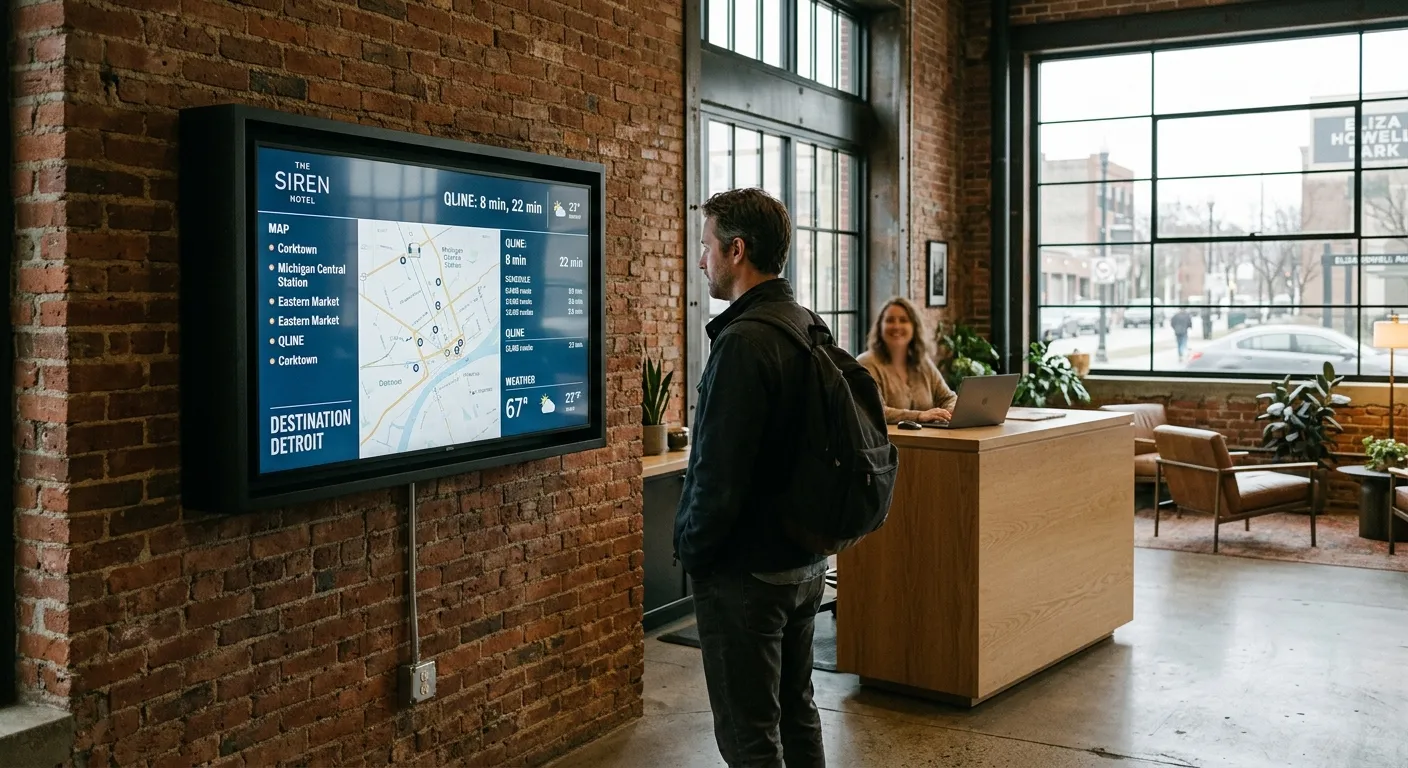
A dynamic storefront screen showing real-time menu modifications and neighborhood event details on a busy commercial corridor.
1. The Real-Time Hospitality Playbook
For restaurants, cafes, and bars, dynamic screens can act as silent hosts that set expectations, build appetite, and guide traffic. This matches the accelerating energy of downtown Detroit's revitalization, where diners are constantly looking for interactive, trustworthy clues on where to spend their evenings.
Consider these execution strategies to drive high-margin dinner traffic:
- Interactive Waitlist Visuals: Show wait times directly in your front window, encouraging patrons to scan a QR code on the glass to join your digital queue while they explore nearby retail shops.
- Database-Driven Happy Hour Counters: Display live countdowns to food and drink specials that update dynamically, creating structural urgency for passing foot traffic.
- Weather-Triggered Promotions: Program your display to fetch local Detroit weather data. If the temperature exceeds 85 degrees, the screen immediately prioritizes cold drinks, craft beers, and patio seating invitations. If it starts raining, the display shifts to highlight hot meals and indoor comfort.
2. The Live-Retail Inventory Playbook
Independent retailers frequently struggle to show their full product range to casual window shoppers. A dynamic screen allows you to showcase deep inventory catalog options that physically cannot fit inside your display window. This strategy acts as a digital extension of your brick-and-mortar floor plan.
Implement these practices to maximize storefront window utility:
- Automated Stock Highlights: Display items that are trending on your e-commerce store or trending locally, pulled directly from your database.
- User-Generated Content Walls: Curate local Instagram posts or reviews mentioning your shop. Because consumers prioritize social proof, seeing real neighborhood praise on your window screen builds immediate trust.
- Interactive QR Portals: When your physical shop closes for the night, transition your screen to an "After Hours Portal." Customers can scan on-screen QR codes to purchase items directly from your window display, turning a closed shop into a 24/7 retail machine.
Avoiding Common Implementation Failures
When launching digital storefront displays, businesses often overcomplicate their systems. They invest in expensive, proprietary display software that requires complex management, only to have the screen display a generic Windows crash dialog or an active browser error warning when local power flickers.
The single most important technical aspect of a reliable digital sign is robust local fallback behavior. Because your display is fundamentally a web app, it should be designed with modern progressive web app (PWA) guidelines. By utilizing service workers, your display can cache essential design elements, fonts, and base data directly within the media player's browser memory. If the local Wi-Fi network drops, the sign will continue to run its primary layout without showing a broken link screen or a spinning loading icon. When the network connection returns, the page updates its data sources in the background without causing a screen blink.
Review the message in the context where people will see it. A storefront display needs readable type, appropriate contrast and enough time to understand the offer; website studies do not establish a universal viewing-time threshold for pedestrians.
The Long-Term Value of Owned Signage Infrastructure
By moving away from static media loops or high-cost, third-party software subscriptions, you secure direct ownership of a powerful local marketing asset. A custom web application developed for your screens can be modified instantly, allowing you to react to unexpected neighborhood trends, launch flash sales, or support local community initiatives at a moment's notice.
This localized agility is exactly what allows independent shops in Detroit's emerging commercial corridors to compete with national chains. When you control both your physical environment and your digital real estate, you build a resilient, modern brand that is deeply integrated with the community.
Frequently Asked Questions
How do I run a live web page on my retail storefront TV without an expensive software license?
You can connect a low-cost media player like a Raspberry Pi or Chromecast with Google TV to your screen. By configuring the device to launch a web browser in kiosk mode on startup, you can load a custom, lightweight web page hosted on your own server. This eliminates recurring software fees while giving you total design control via standard HTML, CSS, and JavaScript.
Will dynamic digital signage actually increase foot traffic in neighborhoods outside downtown Detroit?
Yes. Storefront screens running localized, real-time data catch the eyes of pedestrian traffic in active commercial districts. By displaying live social feeds, real-time inventory updates, or neighborhood-specific announcements, your business demonstrates immediate physical presence and operational energy that static banners simply cannot replicate.
What happens if my restaurant's internet connection drops while the digital menu board is running?
A well-developed web-based digital sign uses service workers and browser caching to store resources locally. If your network connection fails, the screen will continue to display the cached menu items and layout without showing a broken web page. Once the internet connection is restored, the display updates its content dynamically behind the scenes.
Can I sync my point-of-sale inventory directly to my storefront window display?
Yes, this is one of the primary advantages of utilizing web-based digital signage. By connecting your signage web application to your POS API, such as Square, Shopify, or Clover, you can program your screen to dynamically showcase available stock or hide items that sell out, preventing customer frustration.
Ready to build dynamic web signage or modern interfaces for your business?
From location-aware displays to custom e-commerce web applications, we develop the technical systems that make Detroit businesses highly competitive.
Start a ProjectReady to discuss your platform architecture? Visit our custom web development page to explore our execution process.



