
Updated September 23, 2026 · Editorial review by Iron Digital MI
← Back to BlogDetroit service providers operate in a fiercely competitive market. Every minute spent on manual intake is a minute your competitor is already engaging a prospect. If your team is still juggling spreadsheets, handwritten notes, or a patchwork of disconnected apps to capture new leads, you're not just losing time – you're losing money and market position. It's not about working harder; it's about working smarter, and that means automating your lead capture from start to finish. This isn't just a convenience; it’s a necessity for survival and growth in a city that moves as fast as Detroit.
This guide cuts through the noise. We'll show you practical steps to replace those clunky, manual processes with streamlined, automated systems that feed directly into your CRM. The goal? Faster response times, better customer experience, and more closed deals. Stop letting leads slip through the cracks. It's time to build a system that works for you, 24/7, even when your office is closed for the weekend.
Key Takeaways
- Manual lead capture drains resources and leads to lost opportunities; automation is essential for speed and accuracy in Detroit's competitive market.
- Your website, Google Business Profile, and online reviews are critical for capturing local service leads – optimize them aggressively.
- Implement smart web forms, AI-powered chatbots, and direct online scheduling to capture prospect information efficiently and qualify leads around the clock.
- Direct CRM integration for all lead capture points is non-negotiable for immediate response, automated follow-ups, and efficient lead routing.
- Set up automated email and SMS sequences to nurture leads, convert prospects into clients, and measure your performance to refine your strategies.
The High Cost of Manual Lead Capture in Detroit
Detroit is a city of grit, innovation, and demanding consumers. They expect speed, clarity, and professionalism. If your service business is still relying on someone checking an email inbox every few hours, transferring data from a contact form to a spreadsheet, and then manually inputting it into your CRM, you're hemorrhaging potential business. This isn't just about inefficiency; it's about a fundamentally broken process that costs you actual dollars.
Manual data entry also introduces errors. Typos, missing information, incorrect routing – each mistake means more time spent correcting, chasing down details, and ultimately, a poorer experience for the customer. This erodes trust before you've even had a chance to prove your service. For a Detroit business trying to build a reputation, these small failures accumulate into a significant competitive disadvantage.
Foundation First: Your Digital Presence as a Lead Magnet
Before you automate capture, you need a strong magnet. For Detroit service providers, this means an optimized digital presence that actively attracts leads. It’s not just a brochure site; it’s a working tool. Your website, Google Business Profile (GBP), and online reviews form the core of this magnet.
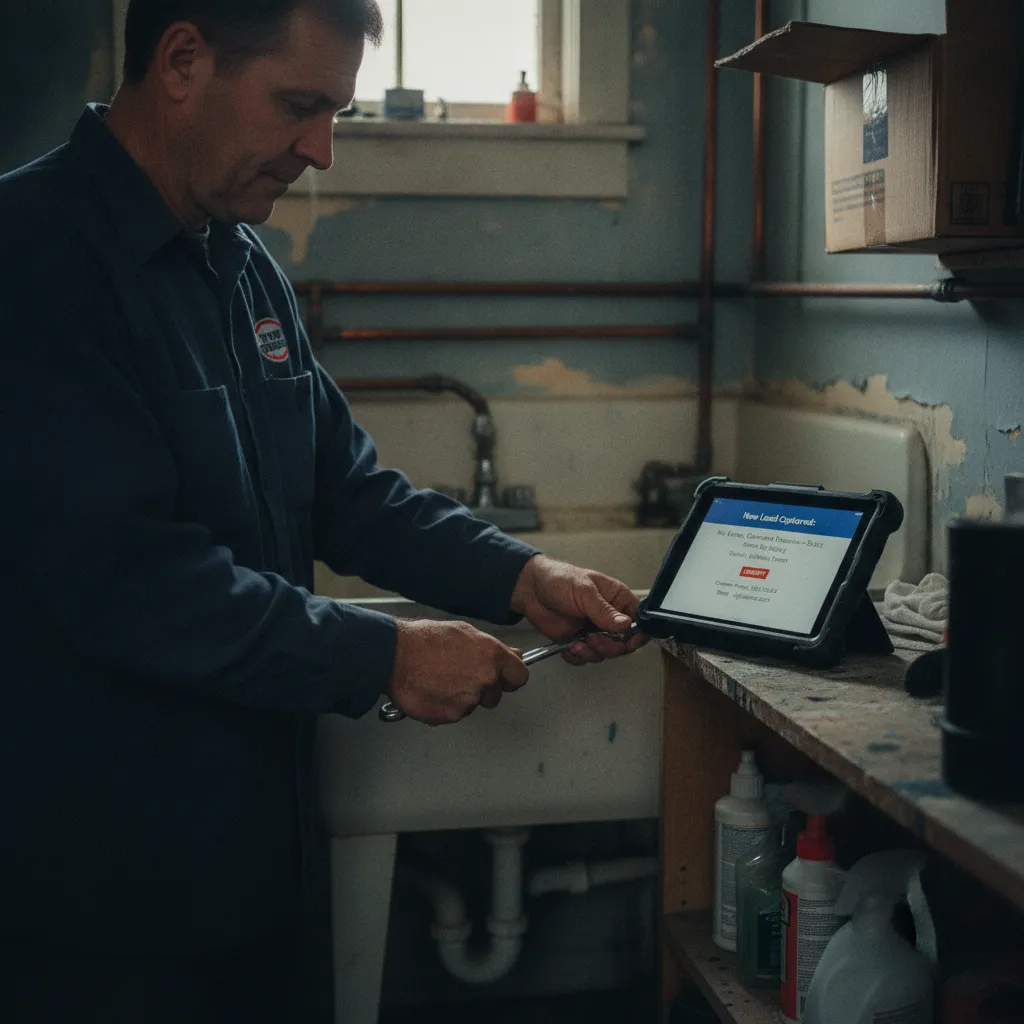
When lead capture is automated, a new inquiry reaches you the moment it comes in — so you can respond before a competitor does.
Automating the Initial Contact: Forms, Chatbots, and Scheduling
Once your digital magnet is tuned, it's time to capture those leads with precision and speed. Automation comes into play at every point of initial contact.
Smart Web Forms
AI-Powered Chatbots
Chatbots aren't just for big corporations. For Detroit service providers, a chatbot can be your 24/7 receptionist. They can answer common FAQs, pre-qualify leads by asking a series of questions (e.g., "What service do you need?" "What's your budget range?" "What's your preferred availability?"), and capture contact information. Once qualified, the chatbot can direct the lead to an online scheduler or alert your sales team with a high-priority notification. Tools like Drift, Tidio, or Intercom allow you to build surprisingly sophisticated chatbots without any coding experience.
Online Scheduling Systems
Take the back-and-forth out of booking appointments. Integrate an online scheduling tool directly on your website. Once a lead is qualified by a form or chatbot, they can immediately see your availability and book a consultation or service appointment. This drastically reduces friction and speeds up the sales cycle. Calendly, Acuity Scheduling, or even HubSpot's meeting scheduler can connect directly to your team's calendars, sending automated confirmations and reminders. It's a powerful way to convert interest into concrete appointments instantly. Consider how much time your team currently spends just trying to find a mutual meeting time. This eliminates it.
"Automation can save small business owners an average of 10+ hours per week on repetitive administrative tasks (Source: various SMB software industry surveys, 2023). Imagine what an extra ten hours means for your Detroit operation: more client work, better strategy, or simply a healthier work-life balance."
The CRM Connection: Making Data Work for You
Automated lead capture is only half the battle. The real power comes from connecting these systems directly to your Customer Relationship Management (CRM) platform. This isn't just about storage; it's about triggering actions, maintaining a single source of truth, and ensuring no lead is ever forgotten.
A CRM acts as the central hub for all your customer interactions. When a new lead comes in from your web form, chatbot, or scheduling system, it should automatically populate a new record in your CRM. This record should include all the captured data – name, contact info, service interest, budget, preferred time. This eliminates manual data entry, prevents errors, and ensures your sales team has immediate access to critical information.
Popular CRM options for small to medium-sized businesses in Detroit include:
- HubSpot CRM: Offers a robust free tier with forms, live chat, and email marketing, making it a strong contender for businesses just starting with automation. It scales well.
- Zoho CRM: Part of a larger suite of business tools, Zoho offers comprehensive features for lead management, sales automation, and analytics.
- Salesforce Essentials: A simplified version of the industry giant, designed for smaller teams. It offers powerful lead tracking and reporting.
- Pipedrive: Known for its intuitive visual sales pipeline, Pipedrive is great for service businesses focused on managing deals and follow-ups.
Once integrated, your CRM can trigger a cascade of automated actions:
- Lead Routing: Automatically assign new leads to specific sales reps based on service type, location (if your service area is segmented, which is common in Detroit, for example, servicing distinct Detroit neighborhoods), or even round-robin assignment.
- Internal Notifications: Alert the assigned rep via email, SMS, or Slack message the instant a new lead arrives. This cuts down response time to minutes, not hours.
- Automated Follow-ups: Immediately send a personalized "thank you" email to the prospect, confirming their inquiry and setting expectations for when they'll hear back.
- Task Creation: Automatically create a task for the assigned rep to call the new lead within a set timeframe.
This kind of integration isn't just nice to have; it's essential for a responsive, competitive service business. It means your team is always working with the freshest data, and no lead gets left behind because of manual processes. The difference in response time alone can be the deciding factor for many Detroit clients.
Follow-Up Automation: Nurturing Leads to Conversion
Capturing a lead is just the first step. The real work is in nurturing that lead into a paying customer. Automated follow-up sequences ensure consistent, timely communication without your team needing to remember every single touchpoint. This is where you convert interest into commitment.
Email Sequences
Set up automated email drip campaigns in your CRM or marketing automation platform. Here’s a basic sequence:
- Welcome Email (Immediate): A personalized thank you, recap of their inquiry, and next steps.
- Value-Add Email (Day 2-3): Share a relevant case study, testimonial, or helpful blog post. Position your business as a trusted authority. Maybe link to content discussing the importance of strong local presence in a thriving city like Detroit, referencing something like Downtown Detroit's Revitalization and What It Means for Local Businesses.
- Offer/Call to Action Email (Day 5-7): Gently reiterate your services and present a clear call to action, such as booking a detailed consultation or requesting a quote.
- Check-in Email (Day 10-14): If no response, a friendly check-in. "Still thinking it over?" "Can I answer any questions?"
These emails keep your business top-of-mind, educate the prospect, and guide them through their decision-making process. Email marketing famously returns an average of $36 for every $1 spent (Source: Litmus, 2023), so ignoring this channel is leaving money on the table.
SMS for Urgent Updates
For certain service industries, SMS can be incredibly effective. Use it for appointment reminders, urgent service updates, or a quick "We received your inquiry and will be in touch within 15 minutes!" message. SMS has high open rates and can be integrated into your CRM workflows for automated delivery. Just be mindful of local regulations and always get opt-in permission.
Retargeting Strategies
Not every lead converts immediately. Use the data collected in your CRM to create targeted retargeting campaigns on platforms like Google Ads and social media. Show ads specifically to people who visited your site, filled out a form but didn't book, or viewed a specific service page. This keeps your brand visible and nudges them back into your sales funnel.
Measuring Success and Iterating
Automation isn't a "set it and forget it" solution. You need to consistently monitor its performance and make adjustments. The beauty of digital systems is the data they provide.
| Metric | Why it matters | How to track |
|---|---|---|
| Lead Capture Rate | Percentage of visitors who become leads. Indicates magnet effectiveness. | Google Analytics, CRM reports for form submissions. |
| Response Time | How quickly you engage a new lead. Directly impacts conversion. | CRM timestamps (lead creation to first contact). |
| Lead-to-Client Conversion Rate | Percentage of leads that turn into paying customers. Ultimate business impact. | CRM sales pipeline tracking. |
| Cost Per Lead (CPL) | Efficiency of your lead generation efforts. | Marketing spend divided by number of leads captured. |
Regularly review these metrics in your CRM and analytics tools. A/B test different form fields, chatbot scripts, or email subject lines to see what performs best. Is one form converting better than another? Is your chatbot confusing users? Is your email sequence getting opens but no clicks? Constant iteration ensures your automated lead capture system improves over time, keeping your Detroit service business sharp and competitive.
Frequently Asked Questions
How quickly should a Detroit service provider respond to new online leads?
Ideally, within minutes. Automated systems connected to your CRM can trigger instant acknowledgments and internal alerts, enabling your team to follow up within 5-10 minutes. Speed is crucial for converting interest into an actual appointment, especially in a competitive market like Detroit.
What's the simplest way to start automating lead capture without a huge budget?
Start with a free CRM like HubSpot's free tier, integrate basic web forms directly on your website, and optimize your Google Business Profile. These initial steps are low-cost but provide significant improvements over manual methods. You can gradually add chatbots or scheduling tools as your needs grow.
Can automation make my service business feel impersonal to Detroit customers?
No, if implemented thoughtfully. Automation handles the repetitive tasks, freeing your team to focus on personalized, high-value interactions. An instant, accurate automated response feels more professional than a delayed, manual one. Use automation to set expectations and gather data, then let your team shine with authentic service.
Which CRM is best for a small Detroit service business looking to automate leads?
For a small Detroit service business, HubSpot CRM's free tier is an excellent starting point due to its integrated forms, email marketing, and live chat. Zoho CRM is another strong option, offering a comprehensive suite if you anticipate needing more tools down the line. Both provide solid foundations for automated lead capture.
Ready to automate your Detroit service business's lead capture?
From custom web forms and intelligent chatbots to CRM integration and automated follow-ups, we build the systems that drive growth for Detroit service providers.
Start a ProjectReady to put this into practice? Visit our custom web development page to see how we work.