Real estate · Website design by Iron Digital MI
Real estate websites that connect a home search to a viewing request.
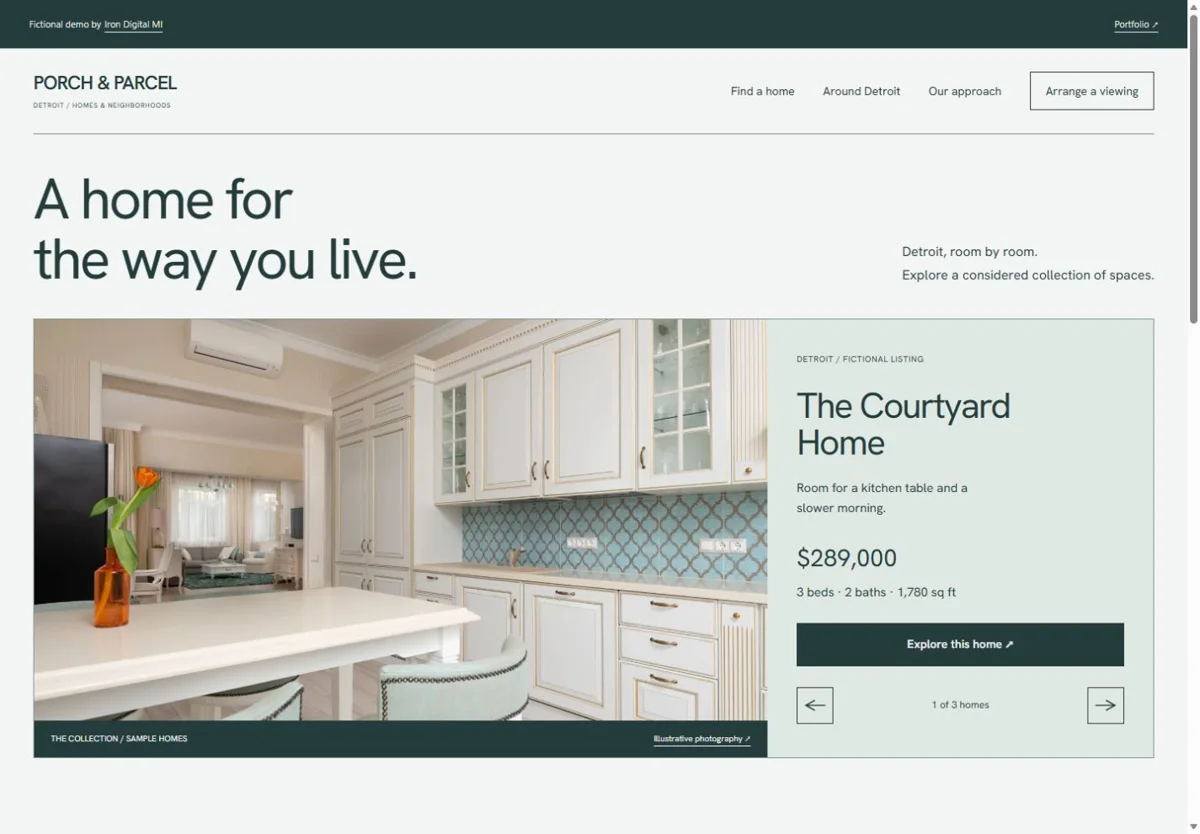
A buyer needs to narrow the choices, inspect a property, and ask to see it. Iron Digital MI’s Porch & Parcel concept gives each step its own space: a filterable collection, individual home pages, saved homes, and a showing request. It demonstrates a real estate website’s visitor experience using fictional listings.
Porch & Parcel is a fictional portfolio concept. Its home names, prices, features, and showing times are sample data. The photographs illustrate the interface; the properties are not offered for sale. There is no MLS or IDX connection and no real appointment is created.
Keep the property search and the next step connected
Narrow the collection without losing context
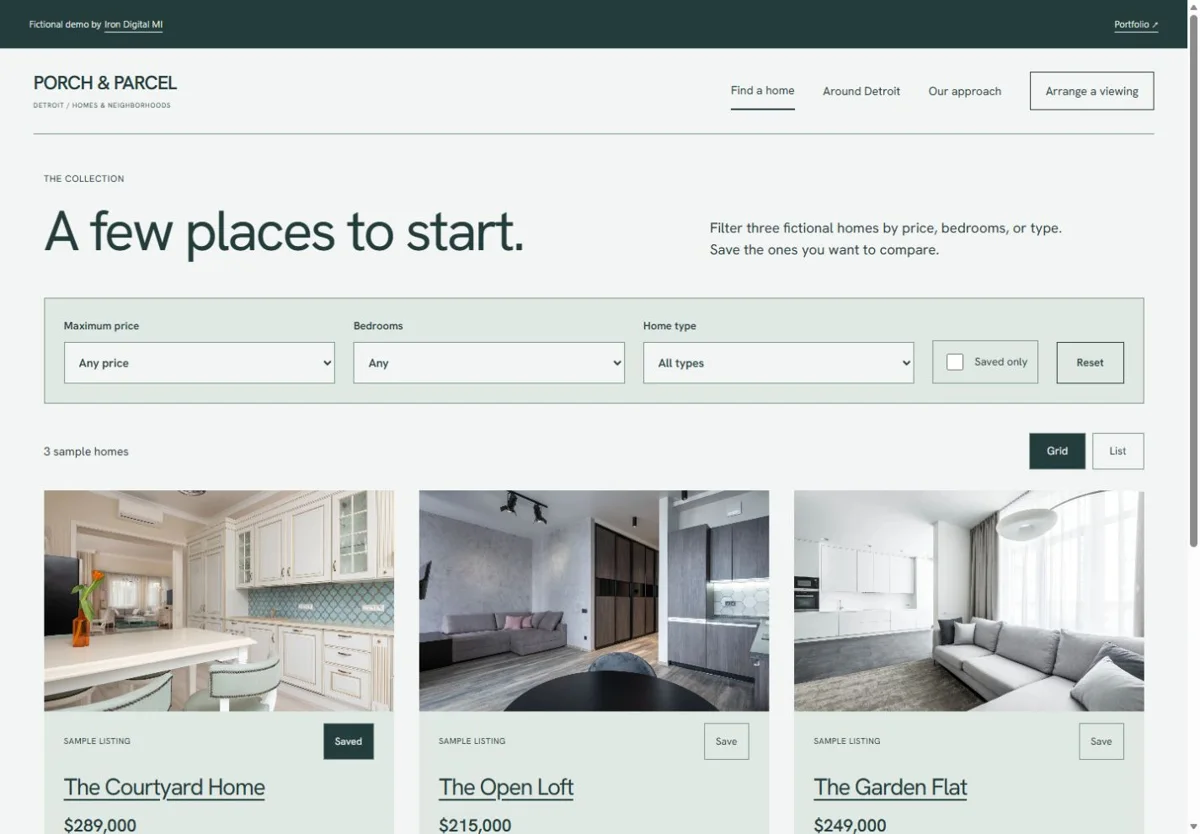
The listing page filters three sample homes by maximum price, bedroom count, and home type. Visitors can switch between grid and list layouts or show saved homes only. The visible result count makes the effect of a filter clear. These controls illustrate a small collection; a large inventory would need a search and data strategy suited to its size and update frequency.
Give every home a page worth inspecting
Each home has a dedicated page with a photo gallery, price, facts, and a showing action. That gives a visitor a specific link to revisit or share, rather than sending everyone to the same homepage. On a live agent site, descriptions, status, photographs, and permissions must come from the approved listing source and stay current as a property changes.
Carry the choice into a request
The showing form lets a visitor choose a home, preferred date, and preferred time, then review those details. It identifies Detroit time and describes the action as a request. That distinction matters: choosing a preferred time does not mean an agent or seller has confirmed it. A real version needs a reliable delivery route and a clear message about who will respond.
Try the property search
Filter the collection, save a sample home, and switch to saved results. Open a property page before trying the showing review. No personal information is needed to explore the demonstration.
Decide where the listing information comes from
- Choose between a small set of manually maintained listings and a supported MLS/IDX provider connection.
- Confirm access to the listing data, image rights, update frequency, and required attribution before choosing an integration.
- Define what happens when a listing is sold, withdrawn, unavailable, or missing information.
- Route showing requests to the correct person or customer-management system, with confirmation and failure messages.
The demo’s saved-home controls do not establish an account system or synchronization across devices. Those features, along with live listing feeds, maps, and staff editing tools, need their own scope. We start with the tools your agent or brokerage already uses.
Explore our website design service or compare current packages and running costs. Listing-provider subscriptions and other integrations are considered separately when defining your project.
Inspect the mobile entry point
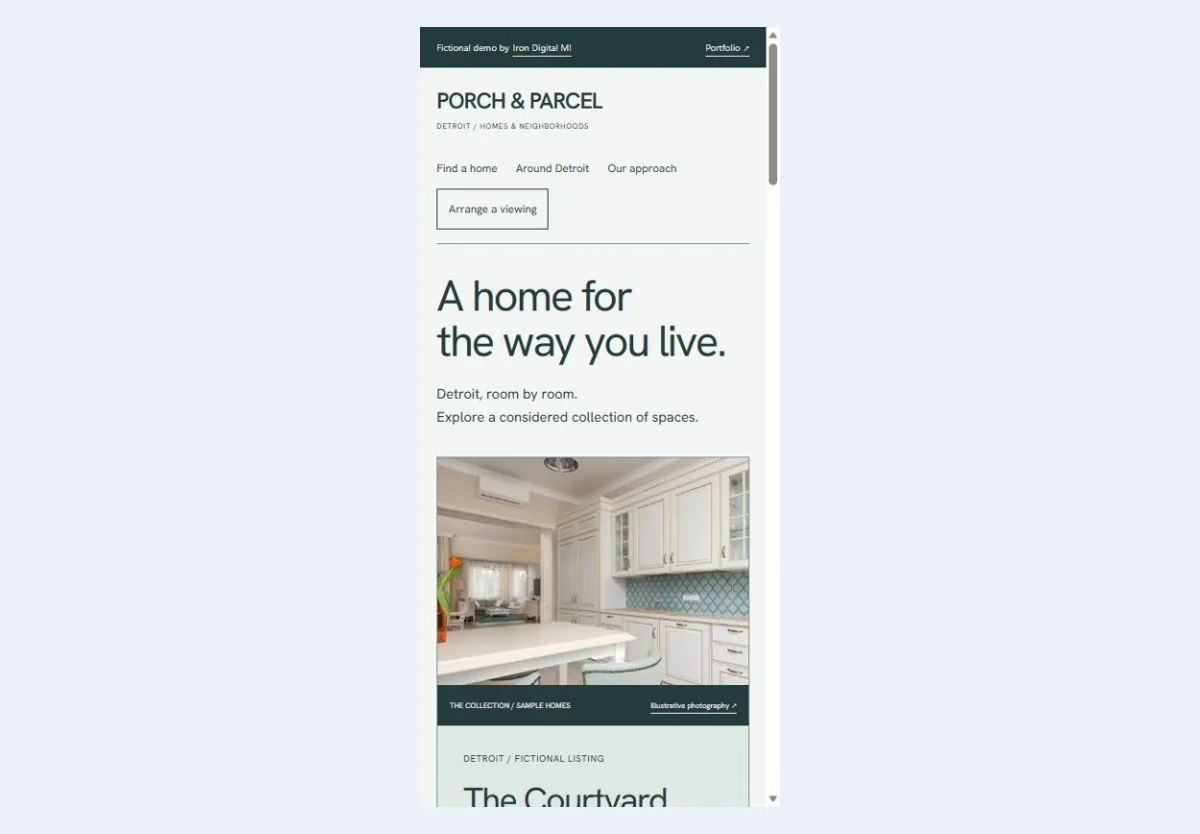
The phone layout keeps the property image and home details together. Open the demonstration to use the filters and request flow on your own device.
Questions about a real estate website
Does this example include live MLS or IDX listings?
No. Porch & Parcel contains three fictional homes. A live data connection depends on the provider, your access, the permitted use of the data, and the integration available. We confirm those requirements before quoting a connected listing experience.
Can the site focus on an agent instead of a large property catalog?
Yes. An agent-focused site can lead with their actual services, area knowledge, selected listings, and a clear inquiry route. A large search interface is useful only if it supports the business and can be kept accurate. We can scope a smaller site with dedicated property pages when that is the better fit.