Veterinary practices · Website design by Iron Digital MI
Veterinary website design that makes the next visit easier to plan.
Iron Digital MI builds custom veterinary websites for practices in Detroit and beyond. A practice website needs to help pet owners find routine care, prepare for a visit, and recognize when they need another contact route. Rosewood demonstrates that journey through separate dog and cat pages and a sample appointment scheduler.
Rosewood is a fictional veterinary practice created by Iron Digital MI. Its photographs do not depict Rosewood staff or patients. Fees and appointment times are illustrative. The booking flow is a local simulation and does not reserve care, notify a clinic, or provide medical advice.
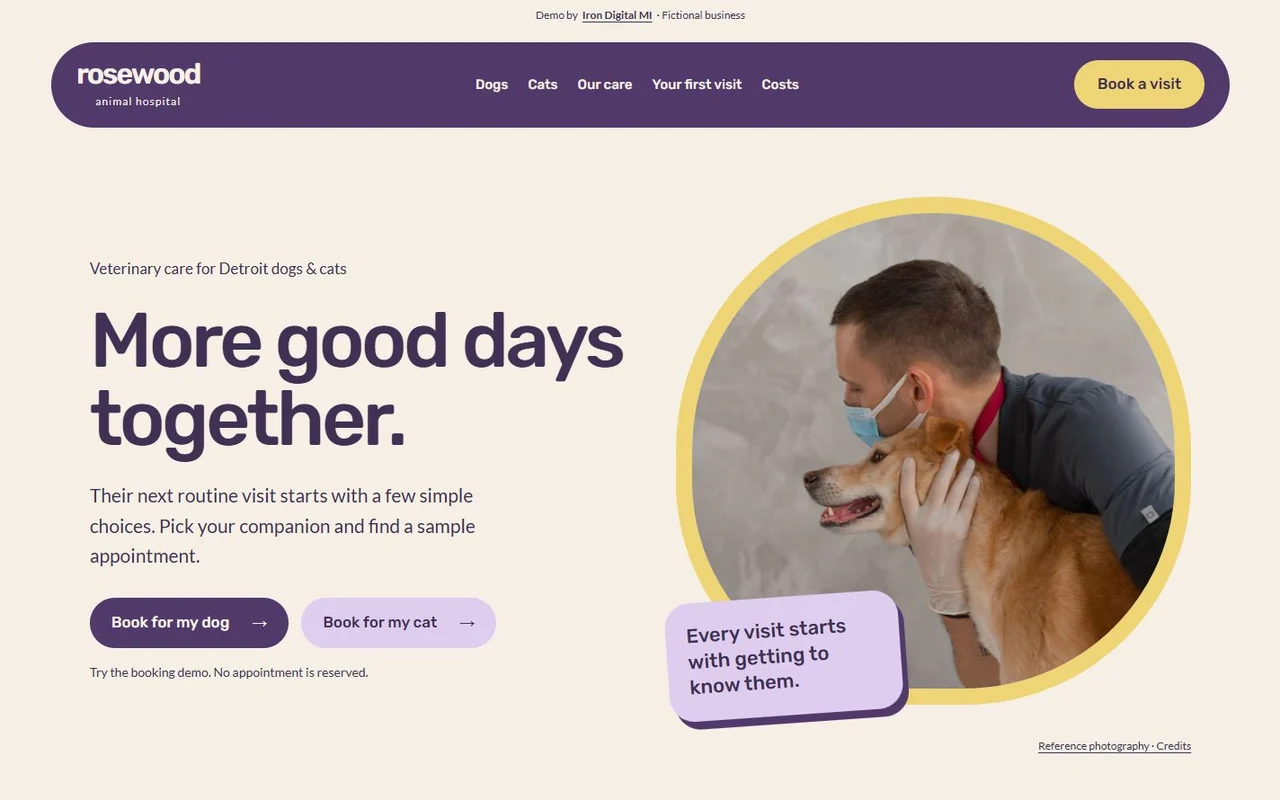
Make booking and preparation different parts of the visit
Start with the companion
The homepage offers separate dog and cat booking actions. That choice carries into the scheduler, and dedicated care pages provide a different reading path for owners who want to understand the visit first. The same booking action remains available from those pages.
Make appointment state explicit
Visitors choose a pet, visit type, sample day, and time before reviewing the appointment. Changing the day clears the old time. They can edit the review before explicitly confirming the demonstration. This makes it clear which details are selected and when the flow is complete.
Keep practical information easy to reach
Preparation, sample fees, and urgent-help resources have their own pages. A first-visit checklist supports owners who already know they need an appointment but want to arrive prepared. The routine scheduler points owners with urgent concerns toward a separate route rather than treating every visit as the same task.
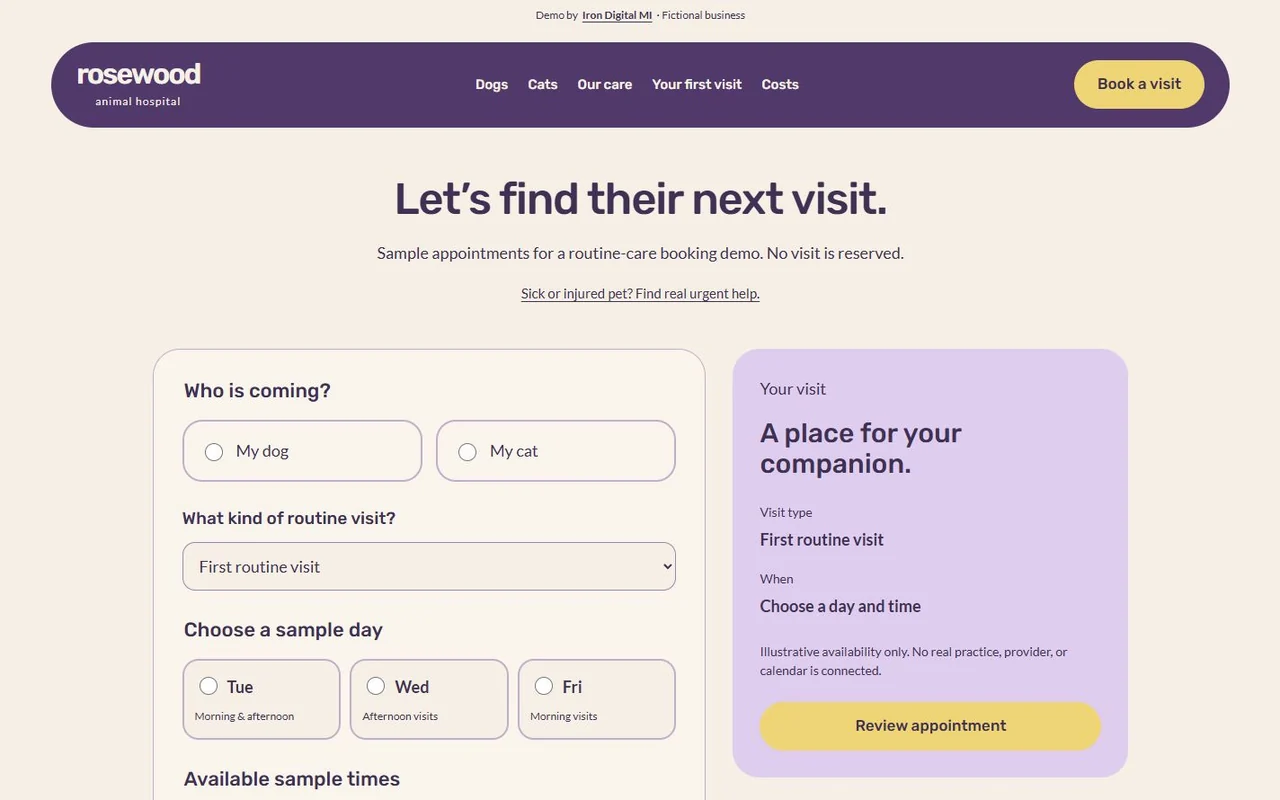
Try the working pages
Move from a pet-specific starting point to a reviewed appointment.
These links open a demonstration for a fictional business. Its interface is evidence of the build; it is not evidence of sales, bookings, or search rankings.
What your practice would need before launch
- Your real services, opening hours, location or service area, and new-patient policy.
- Approved staff information and photography, with permission for any patient images.
- Your actual fee policy, urgent-contact instructions, and visit-preparation requirements.
- The scheduling system, provider availability, confirmation rules, and cancellation process your team uses.
We would first establish whether your practice accepts appointment requests or offers confirmed real-time booking. Those are different workflows. A production integration must reflect actual availability and tell the owner whether they have requested a visit or reserved one.
We scope the pages, content, and integrations before quoting the work. Compare current website packages and running costs, or read about our custom website design service.
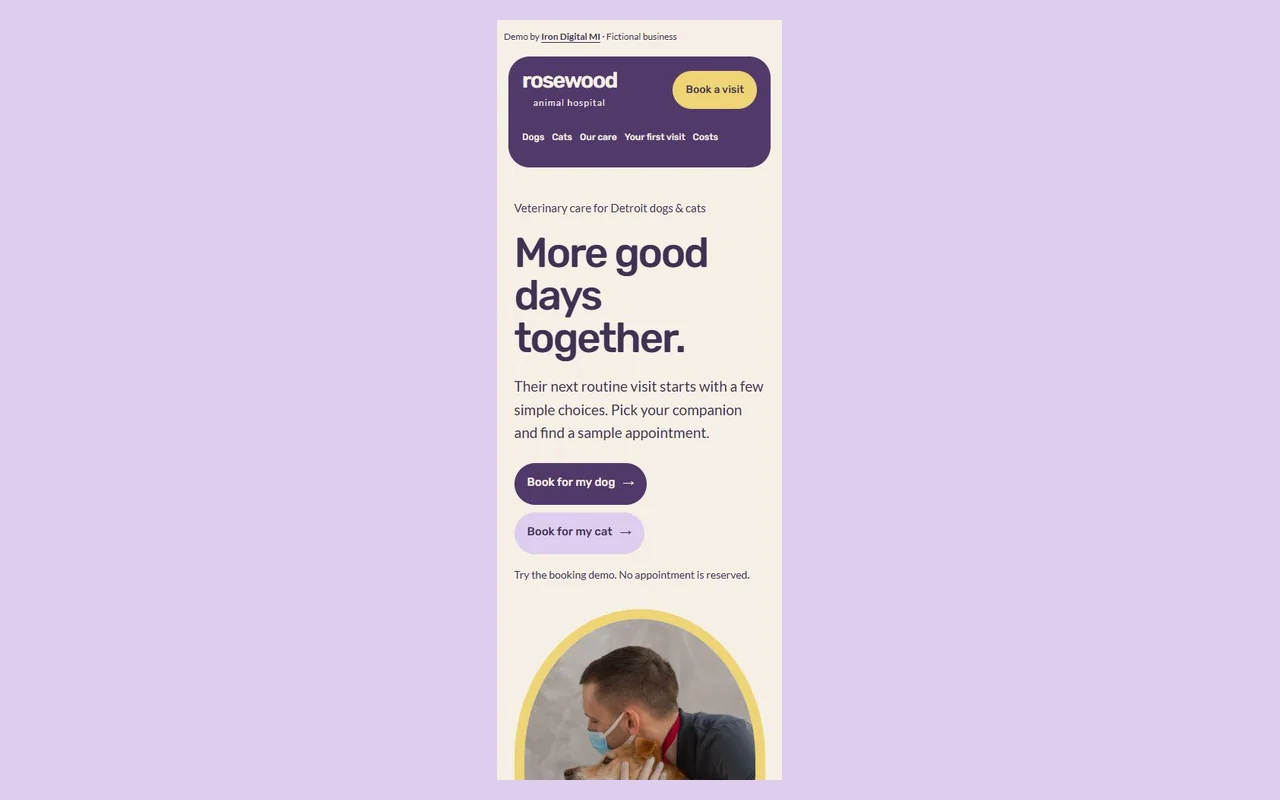
See the mobile starting point
The same main action remains available on a narrow screen. Open the live demo to explore its mobile layout and supporting pages.
Questions about your website
Can the website connect to our existing appointment software?
We can assess that as part of the scope. The integration depends on the software’s supported connections, access requirements, and how your team manages appointments. The Rosewood demo uses sample times only; it does not prove compatibility with a specific practice system.
Should appointment requests and urgent care use the same form?
The website should clearly communicate your practice’s approved routes for each. Rosewood demonstrates separate routine booking and urgent-help information. Your clinical team should provide and approve the actual instructions, and the website should not imply that a routine form is continuously monitored.