Dental · Concept build
Dental website design that explains the first visit.
A new patient wants to know what a visit involves, what it may cost and how to book. Tulip Street Dental puts those questions ahead of a long list of treatments.
By Ron Green, Iron Digital MI · Published September 8, 2026 · Updated September 23, 2026
Tulip Street Dental is a fictional practice and a working design demonstration. Staff, prices and contact details are invented; the booking form does not reserve an appointment.
What the design makes easier
Make the first visit a clear starting point
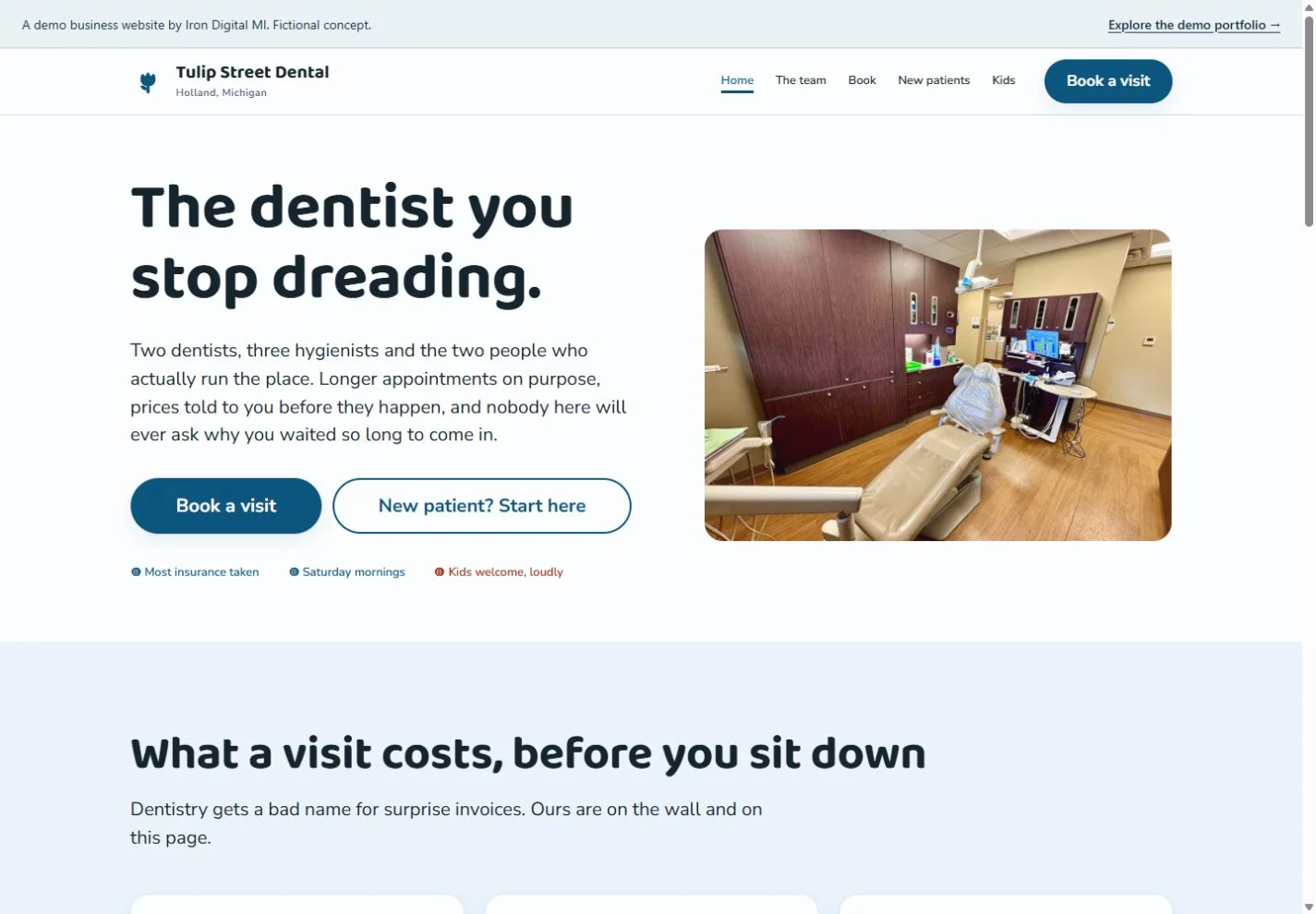
The homepage offers both a booking action and a separate route for new patients. Someone who is ready can continue, while someone with questions can learn what to expect first.
Show how pricing information fits the page
Sample visit prices appear on the homepage with short descriptions. They demonstrate a readable way to present an exam, cleaning or urgent visit without hiding the explanation behind a form.
Design around different patient needs
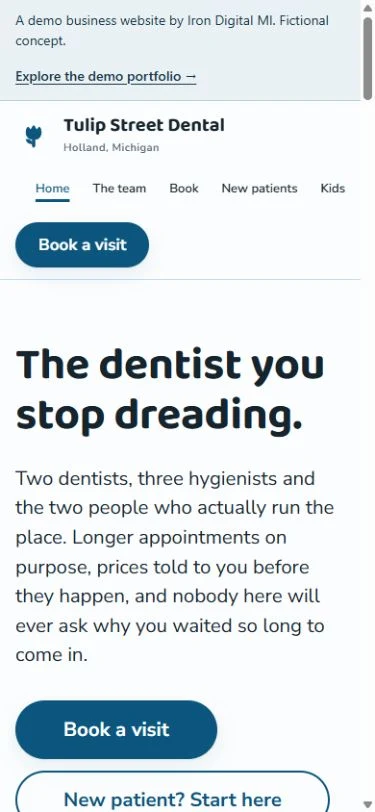
Dedicated team, new-patient and children’s pages let visitors find relevant information without reading every service. The phone layout keeps the booking route visible and the introductory copy short.
Let the reason for the visit shape the choices
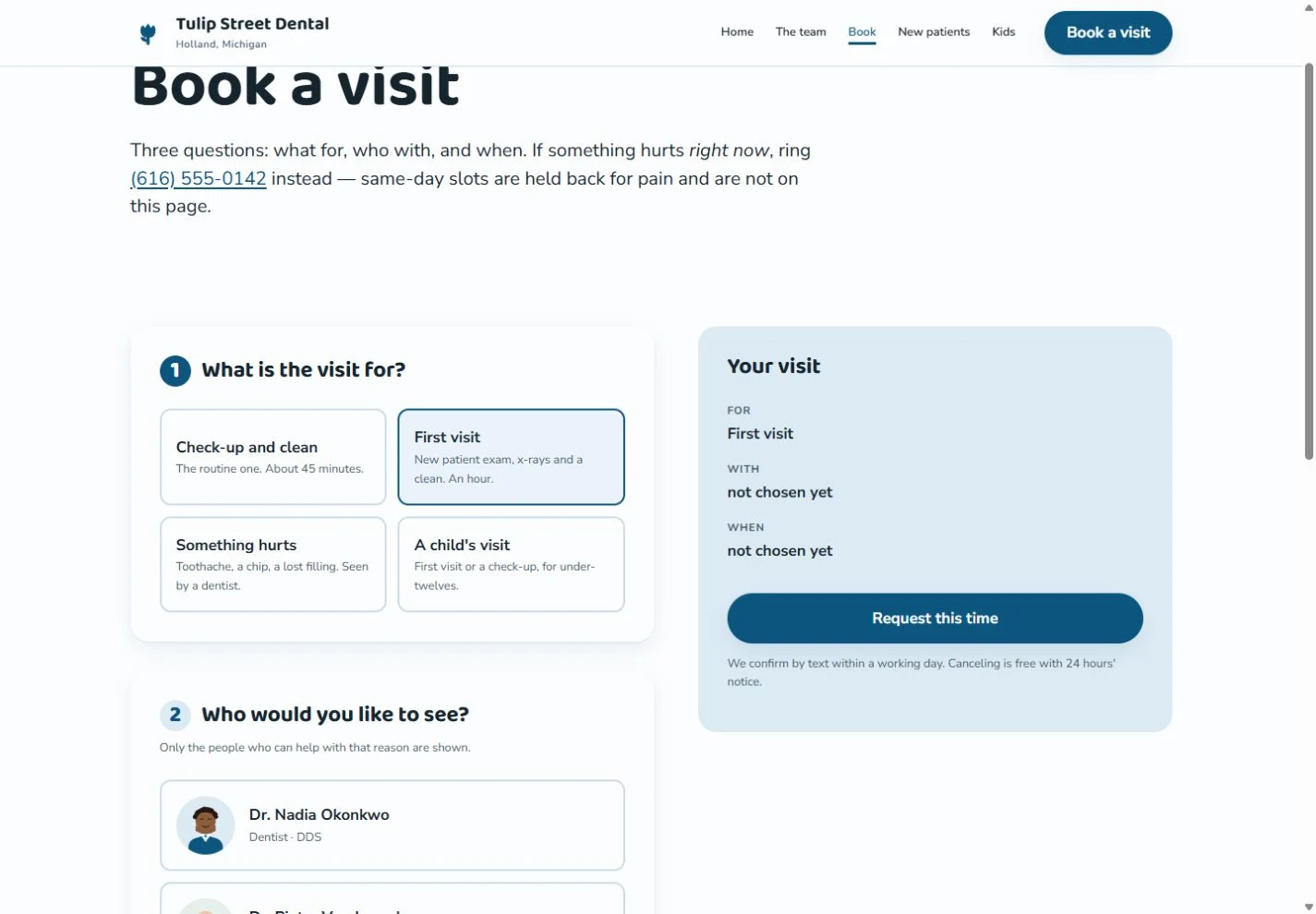
The appointment page asks what the visit is for before showing a clinician choice. In the first-visit state, two sample dentists become available and the visit summary records the chosen reason. The time-request button stays disabled while the selection is incomplete. Showing one decision at a time gives the page a clear reading order.
For a real practice, confirm which visit types may be requested online, how appointment lengths are assigned and who approves a requested time. Keep sensitive patient information in the practice-approved system. A website request should not imply that a clinical appointment is confirmed before the practice has accepted it.
For your own business
For your practice, use verified staff credentials, approved photography and current explanations of fees and insurance. Describe how appointment requests are confirmed and where urgent dental concerns should be directed. The sample prices and fictional team are not content for a real practice to reuse.
Scope the public website separately from any booking or practice-system integration. Page count, content preparation and the operational connection all affect the quote. See current pricing and running costs.
What should a dental website explain before booking?
Explain the first-visit process, how fees and insurance are discussed, who the patient will see and whether the form requests or confirms an appointment. Use information approved by the actual practice.
Explore the working pages
Read the new-patient demonstration ↗
View the appointment-request layout ↗
These pages demonstrate the interface and content structure. They do not establish booking results, traffic growth or search rankings.
Questions before you build
Should a dental site have a separate new-patient page?
It is useful when the first visit has different preparation, paperwork or fee questions. Keep the booking action available, and have the practice approve what patients are told to bring and what happens next.
Are the portraits and prices real?
No. The demo identifies its staff as invented and its team portraits as AI-generated. The fees, address and booking details are sample content, not evidence about a real dental practice.