Online store · Client build
Copper Spoon: An online store built so the sale doesn’t leak.
Copper Spoon sells a growing series of downloadable cookbooks — now twenty-four books and more than 1,700 recipes. The store had one job: get someone from “that looks good” to a paid order without losing them along the way.
By Ron Green, Iron Digital MI · Updated September 23, 2026
Decisions behind the store
Sell a ladder, not a price list
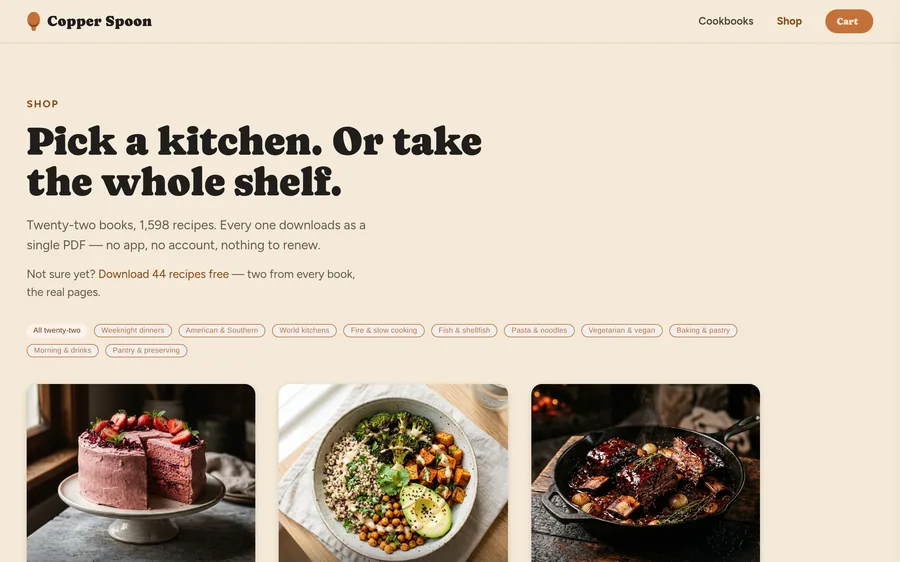
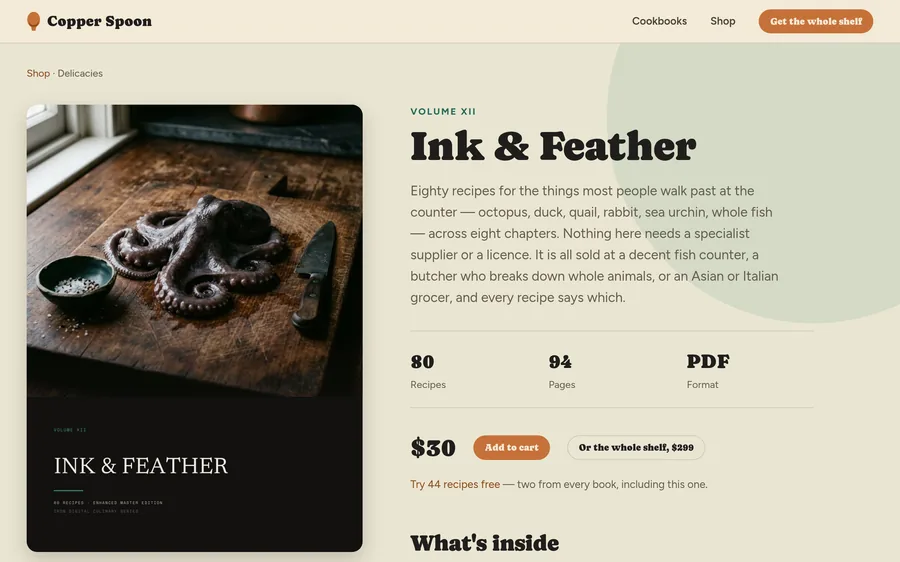
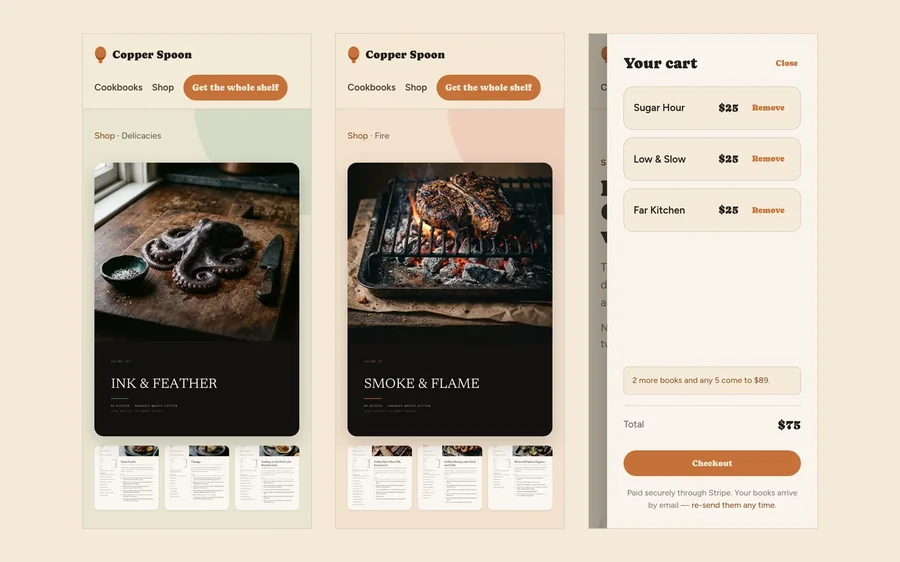
Bought one at a time the whole series costs $635. Any five are $89, any ten $169, and all twenty-four $299. The shop opens on that choice — “Pick a kitchen. Or take the whole shelf.” — and every book page offers the whole shelf beside the single book, so the better deal is always one click away.
Let the cart do the selling
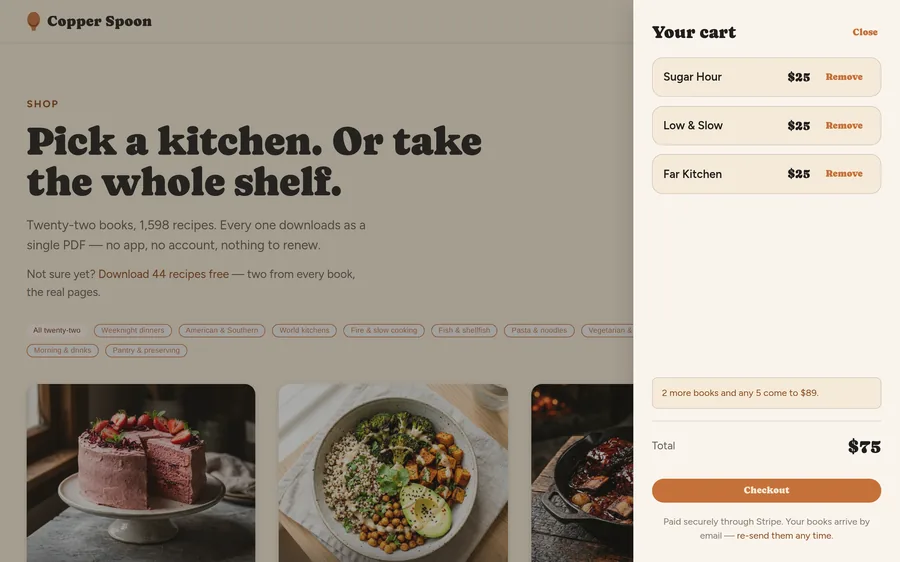
The cart counts toward the next price break out loud: three books in, it says two more make any five for $89. This makes the next bundle threshold visible while shoppers review their choices. It is a design decision, not a measured claim that customers add more books.
Never lose what someone picked
In the first version, reading about a book emptied the cart — on a store whose headline offer is five books for $89, the one thing that lost the sale was a customer doing their research. The cart now survives every page and every return visit, and a cart count follows you onto every page once there is something in it, so checkout is always one tap away.
Checkout the store can trust
Payment runs through Stripe. The browser only remembers what you picked; the server prices every order again from its own catalog before charging, so an edited cart cannot buy anything at the wrong price — it just produces a rejected order.
Delivery with no account to forget
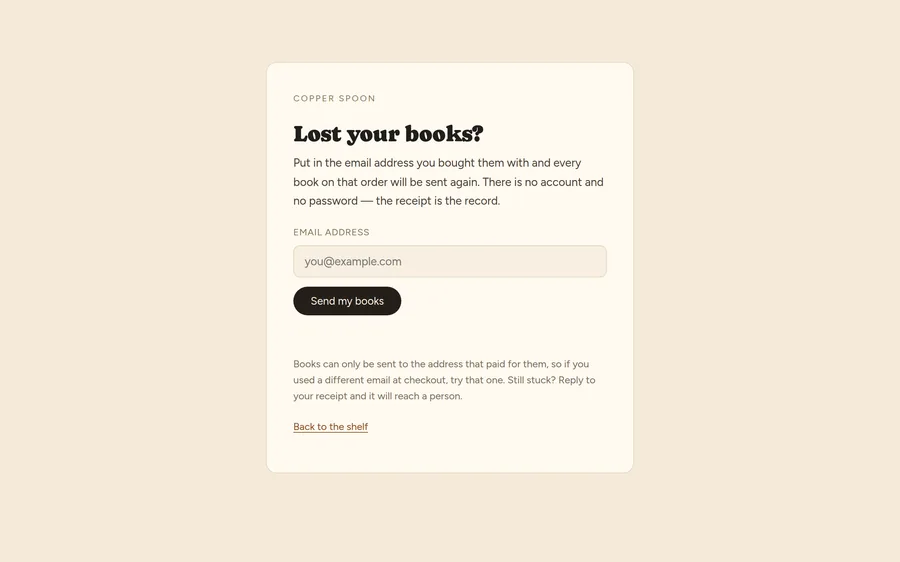
Books arrive by email the moment payment clears, usually inside a minute, as one PDF per book — no app, no login, no subscription. Download links expire after a few days so a forwarded email is not a free copy, but the books never do: the “Lost your books?” page sends fresh links to the address that paid.
What the build delivers
A complete store built custom rather than on a store platform: a catalog of twenty-four products, tiered bundle pricing, a persistent cart, Stripe checkout, instant delivery, and self-service re-sends. There is no monthly platform fee and no app for the customer to install.
A free sample — two recipes from every book — sits at the top of the funnel for anyone not ready to pay, and every page of it points back to the shop.
If you are thinking about selling online, most of the work is not the product pages. It is the moments where a customer could quietly leave — a cart that empties, a checkout that asks for an account, a download that never arrives — and closing each one.
Compare three kinds of online store
Copper Spoon is a live digital-product store. A physical-product shop also needs stock and delivery rules; a restaurant order needs a pickup time and an operational handoff. Our ecommerce website design guide compares this build with the Pallister Press and Open Kitchen demonstrations.
This case study describes the implemented shopping flow. No sales-lift or conversion-rate measurement is reported here.