Selected client work / Case studies

Good design makes the next step clear.

Three live builds. Three different customer needs. A closer look at the interface decisions behind each one.

01 / Local discovery

Detroit Hub

From a city of options to a plan for the day.
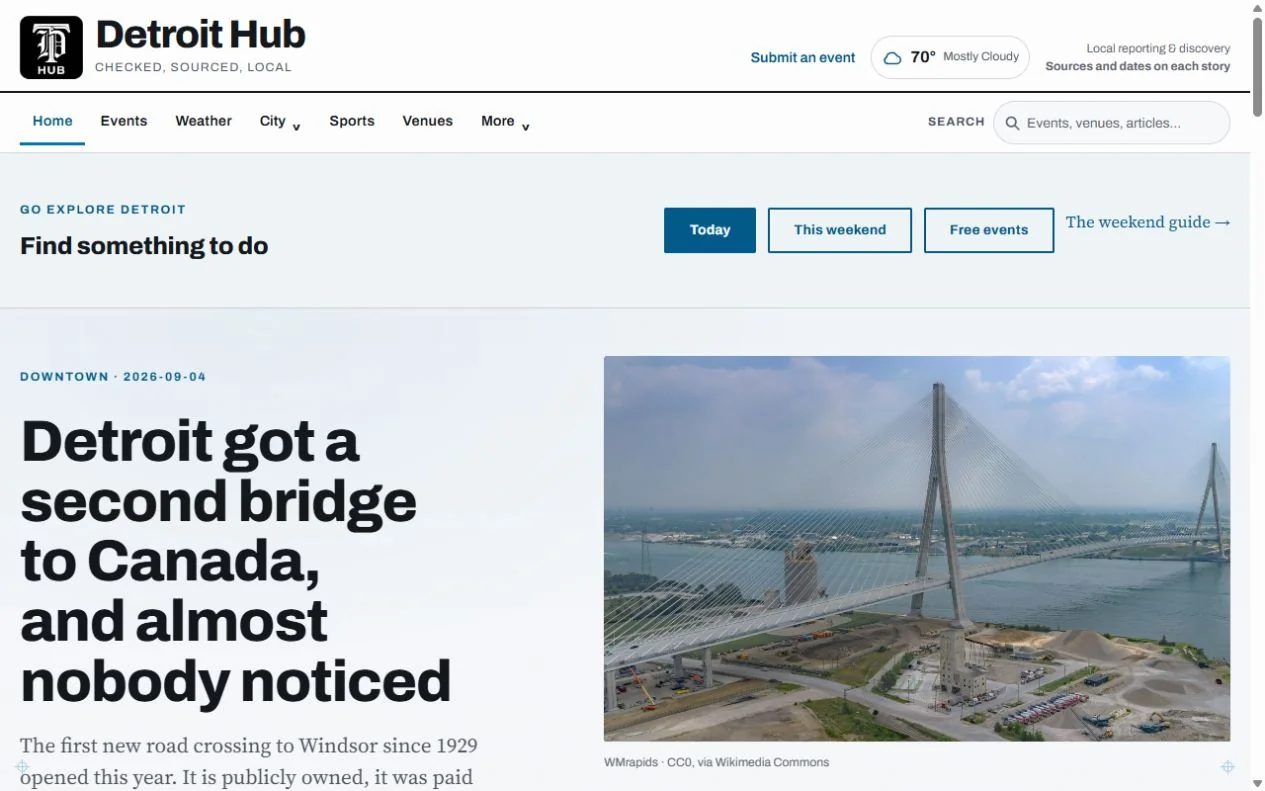
Detroit Hub events with date, category and neighborhood filters
Detroit Hub — a view of the delivered website. Visit the live site to explore its current content.

The design challenge

A local guide serves two different visits: catching up on the city and finding something to do. The interface needs to give each a clear starting point.

Separate reading from planning

News sections and a dedicated events directory give readers and event seekers their own routes.

Filter around real decisions

Date, category and neighborhood controls let visitors narrow the directory around when, what and where.

Keep the next step close

Event details and calendar download links let visitors carry a discovery into their own plans.

What the build delivers

The live site brings local coverage and event discovery together, with a dedicated route from browsing the city to choosing an event.

02 / Local services

US Locksmith

Make the next step obvious when time matters.

US Locksmith homepage with an emergency call action and service navigation
US Locksmith — a view of the delivered website. Visit the live site to explore its current content.

The design challenge

Someone locked out needs a phone number immediately. Someone planning a security upgrade needs time to understand the service. One website has to support both.

Put the call action first

The header and hero expose direct telephone links, so an emergency visitor can act without completing a form.

Organize by the job

Automotive, residential and commercial services have distinct pages, keeping different customer needs easy to identify.

Make coverage easy to check

Dedicated city links let visitors find service-area information without searching through a long general page.

What the build delivers

The delivered interface supports two clear paths: call for urgent help, or explore the relevant service and location before making contact.

03 / Digital storefront

Copper Spoon

Help readers find the book they will use.

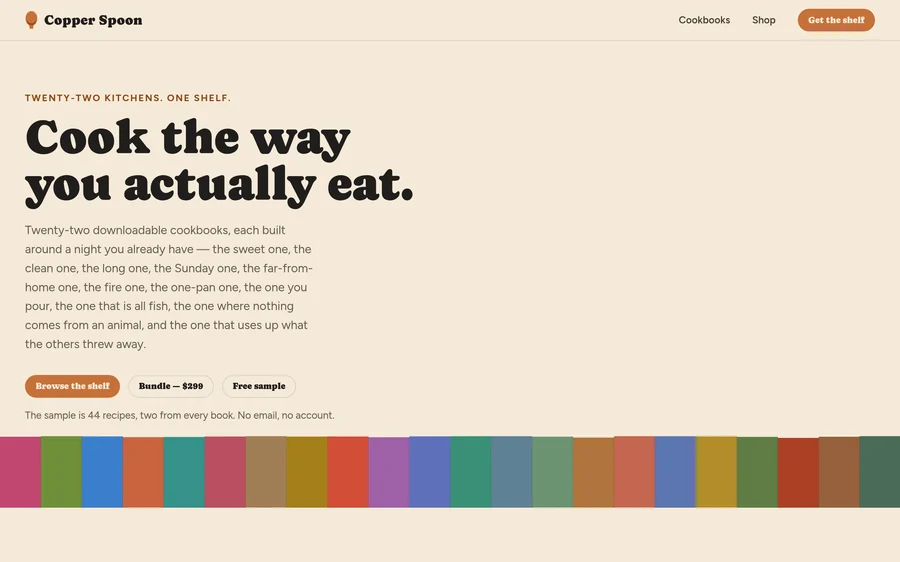
Copper Spoon cookbook storefront with book covers and product details
Copper Spoon — a view of the delivered website. Visit the live site to explore its current content.

The design challenge

A growing cookbook collection needs more than a wall of covers. Readers need to recognize the right topic, understand what is inside and feel ready to choose.

Browse by cooking occasion

The shelf groups books into recognizable interests, from weeknight dinners to baking and pantry projects.

Make comparisons concrete

Product cards pair covers with prices and recipe or page details, giving shoppers useful information while they browse.

Offer a preview before purchase

A clearly labeled free sample gives readers a way to inspect the work before moving into the shop.

What the build delivers

The storefront connects visual browsing with practical product information, a sample and individual book pages that support a more informed choice.

Your next project

What should your website make easier?