HVAC · Concept build
HVAC website design for two different calls.
A homeowner with no heat needs a phone number now. Someone planning a tune-up needs prices and an appointment window. Vanderkamp shows how one small contractor website can serve both visits.
By Ron Green, Iron Digital MI · Published September 8, 2026 · Updated September 23, 2026
Vanderkamp is a fictional heating and cooling business used to demonstrate an HVAC website. Its prices, reviews and service claims are sample content, and its scheduler does not book a real visit.
What the design makes easier
Give emergencies their own route
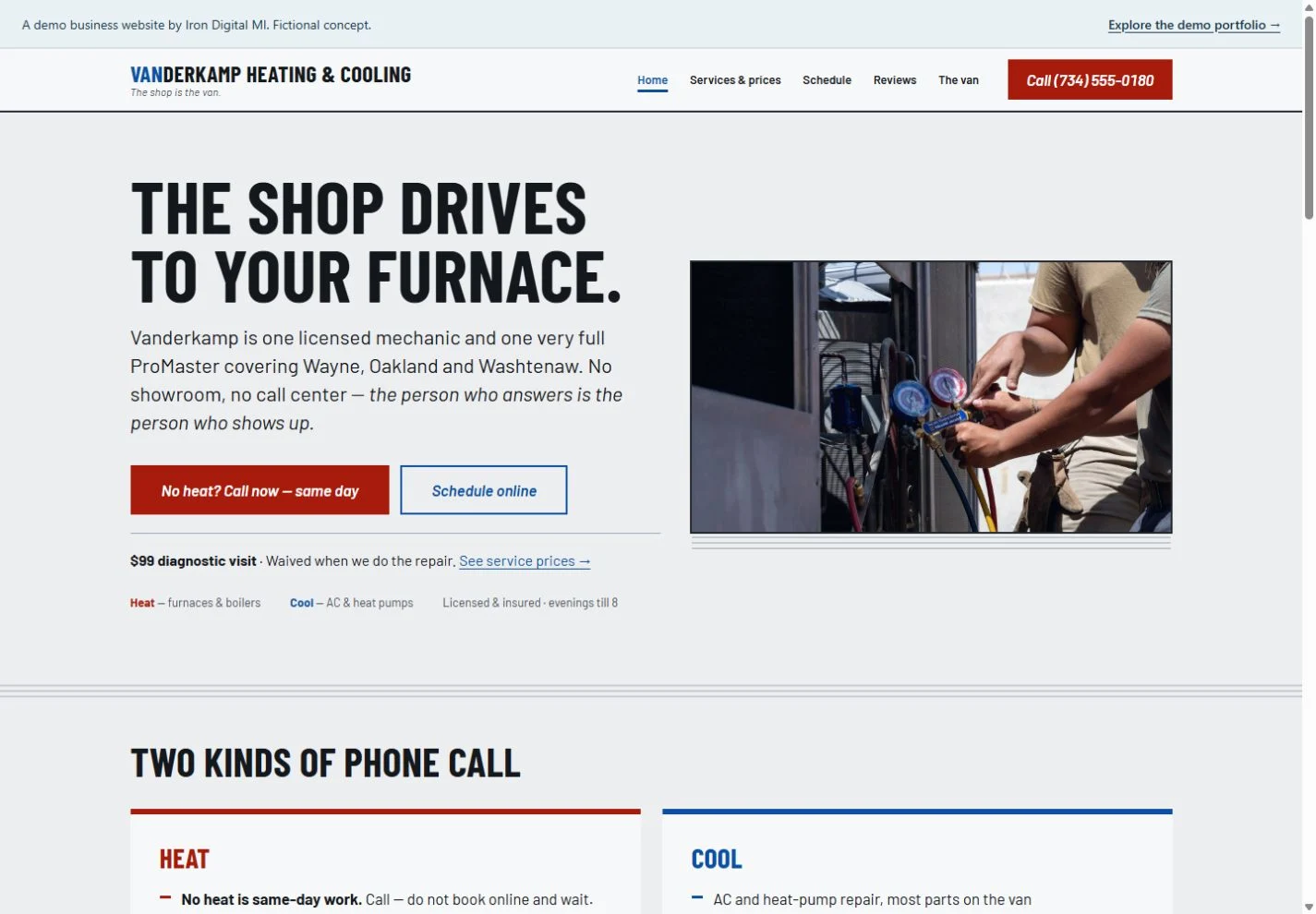
The homepage separates urgent no-heat calls from routine heating and cooling work. A visible phone action lets an urgent visitor move directly to a call, while planned work leads to the scheduler.
Put the visit cost beside the next step
A diagnostic-visit price and a service-price link sit close to the main actions. The design answers the cost question before asking someone to choose an appointment.
Explain who will arrive
The van and mechanic page supports the one-person shop identity. Navigation uses concrete labels—services and prices, schedule, reviews and the van—so visitors can check the details that matter to them.
See the appointment state before you submit
The scheduler begins with the job type, then shows a two-month calendar. Past days, Sundays and unavailable days are disabled. Selecting an available day reveals arrival windows and updates the visit summary; the hold button remains disabled until a window is chosen. That is a useful sequence to review on a phone before connecting a real scheduling service.
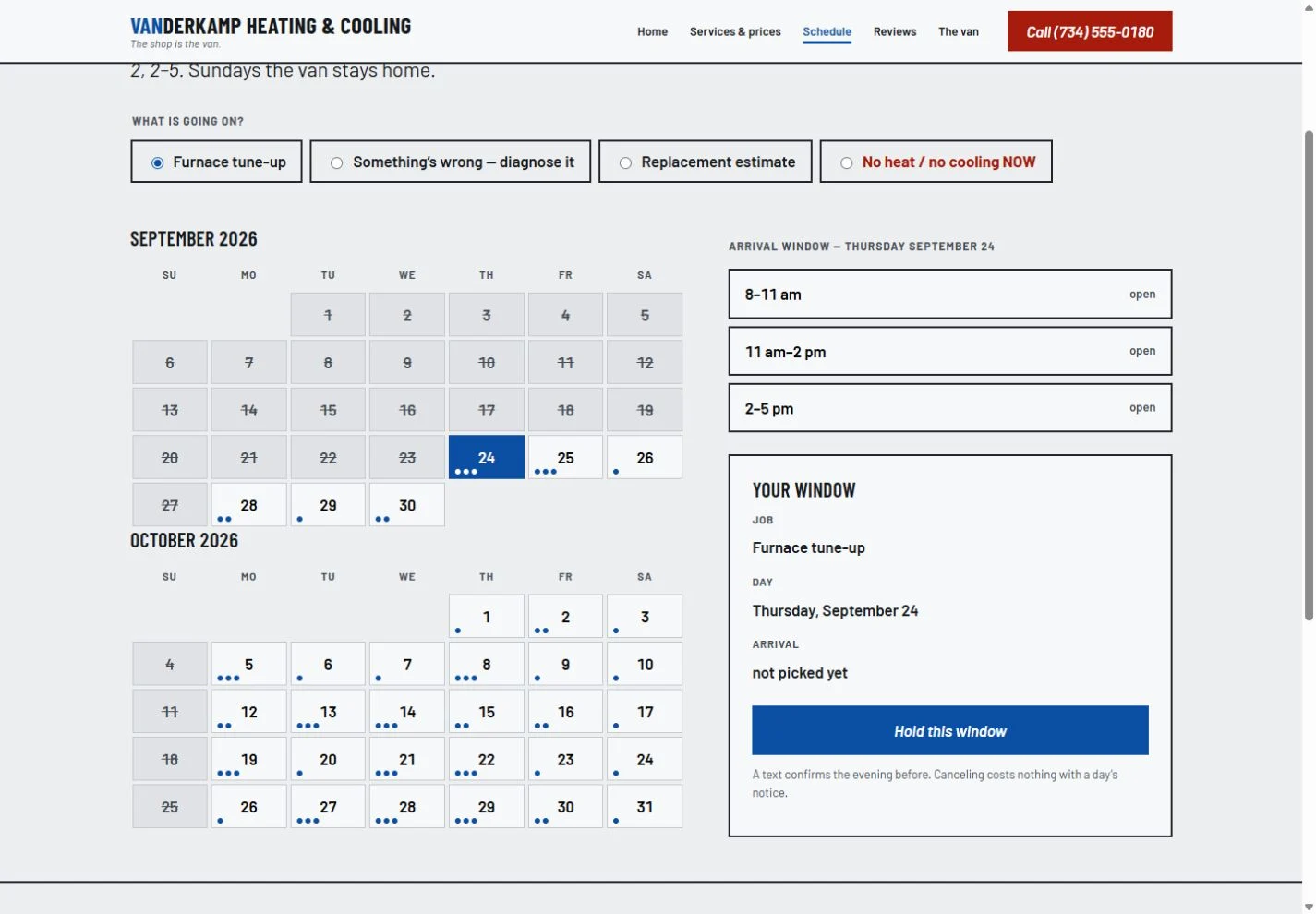
For a working contractor site, availability must come from the dispatch system. Decide how long a slot can be held, who confirms it, and what happens when two people request the same window. Give an unsuccessful request a recovery path, such as another time or a staffed phone number. The demonstration only models the interface.
For your own business
For your own HVAC business, start with the real service area, emergency-call policy, diagnostic fees and appointment availability. Connect any scheduler to the system your staff actually uses, and replace every sample review with customer feedback you have permission to publish.
Scope the public website separately from any booking or practice-system integration. Page count, content preparation and the operational connection all affect the quote. See current pricing and running costs.
What should an HVAC website make easy?
Make urgent calling, checking service coverage and arranging routine work easy to distinguish. Place your real diagnostic policy near the booking action and explain how emergency requests are handled.
Explore the working pages
Compare the sample service and price layout ↗
Try the scheduling demonstration ↗
These pages demonstrate the interface and content structure. They do not establish booking results, traffic growth or search rankings.
Questions before you build
What belongs on a contractor service page?
List the equipment and work you actually handle, your service area, the diagnostic-fee policy and the route for urgent calls. Use a separate page for planned work when its process differs from emergency service.
Can the demo calendar accept real bookings?
No. Its dates and availability illustrate a booking flow. A production connection needs staff availability, conflict handling, confirmations and a way to cancel or reschedule.